weewx-celestial — Watch the sky move
Watch the sky move — a live celestial page for WeeWX, updating on every loop packet.
View on GitHub Download weewx-celestial.zip Report an issue
This manual documents weewx-celestial 9.7.2, the current release.
Start here
- Installation — install it, wire weewx-loopdata’s output to where the page looks, and verify the feed. Coming from an earlier version instead? Upgrading.
- Reading the page — what every mark, color and phrase on the page means. Start here once it is running.
- Configuration — the report’s options, the dark and light plates, and how the page degrades across almanac tiers.
- Satellites and comets — watch more than the installer’s defaults, in one command each.
- Troubleshooting — symptom first: the badge’s error states, missing panels, missing chips, a page that will not go live.
- Panels in your own skin — new in 9.0: put these panels in a skin of your own, live layer and all.
What it is
weewx-celestial adds one page to your WeeWX site: the sky over your station as it stands this second. Where the sun, moon and planets are — the compass bearing of each, how far away it is, whether it is up or below the horizon. Which stars and constellations are overhead. Which satellites are crossing right now, and when the next one will be bright enough to walk outside and see. Where each comet you follow has got to. And how long you have until sunset, until astronomical darkness, until the next meteor shower’s peak.
Not a calculator you go to with a question, and not an almanac table: a page you leave open, on which everything moves.
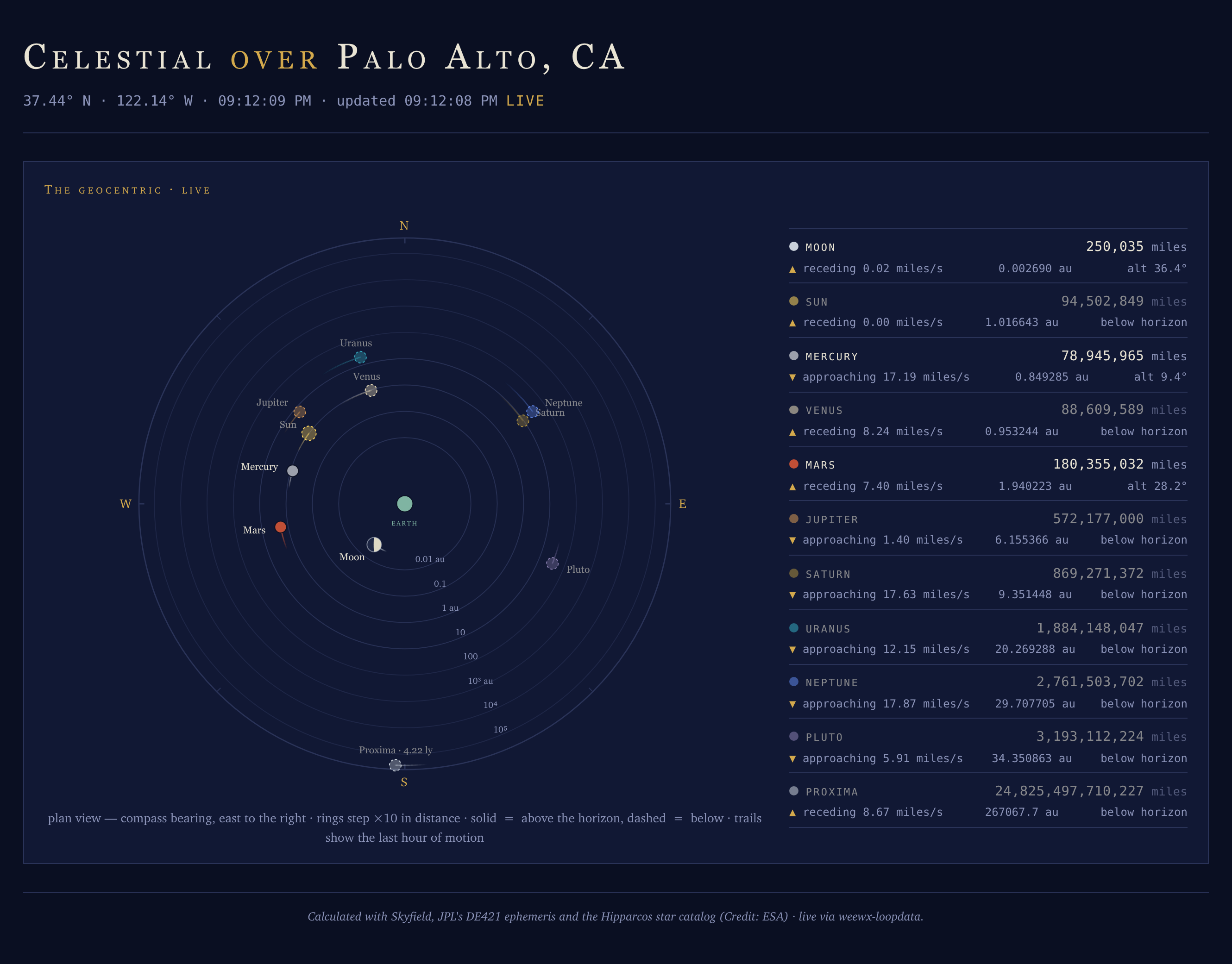
It is the bundled Celestial skin: a row of countdown chips over three panels — the Geocentric dial, the live sky dome, and the Next Visible Pass chart. Here it is entire, in the bundled sample report (Palo Alto, evening on 2 October 2026 — Saturn and Neptune up and trailing their wake, the moon, the sun, Mercury, Venus, Mars, Jupiter and Uranus dashed below with comet Halley out beyond Jupiter and Mars, Proxima Centauri alone at the rim, Terra’s evening pass an hour off in the first chip, the Draconids five days out under a 4% moon, and every odometer ticking):
Panel by panel:
Countdown central (new in 8.1) — countdown chips at the top of the page, counting on every loop packet: the soonest visible satellite pass (“ISS · appears in 41 m”, then “overhead now”, rolling to the next pass as this one ends), sunset or sunrise — whichever comes next — the next meteor shower’s peak with the moon’s illumination at the peak, and astronomical darkness (begins and ends, whichever is next). Windowed guests join within ~30 days of their event: the next equinox or solstice — named by the season it begins — Earth’s perihelion or aphelion, the next supermoon, the next eclipse visible from your station, and each configured comet’s perihelion. A countdown shows the two largest units that matter: 22 d 19 h a day or more out, with the event’s date beside it; 9 h 35 m inside a day; 35 m inside an hour; 45 s in the last minute. Every chip is client-side arithmetic on an event instant weewx-loopdata computes once and caches until it passes.
The row riding through the sunset of 14 September 2026 (one-second frames played at about 15× speed): the sunset chip counts down through zero, then rolls itself to the next sunrise — loopdata expires the event and the page follows, no reload:

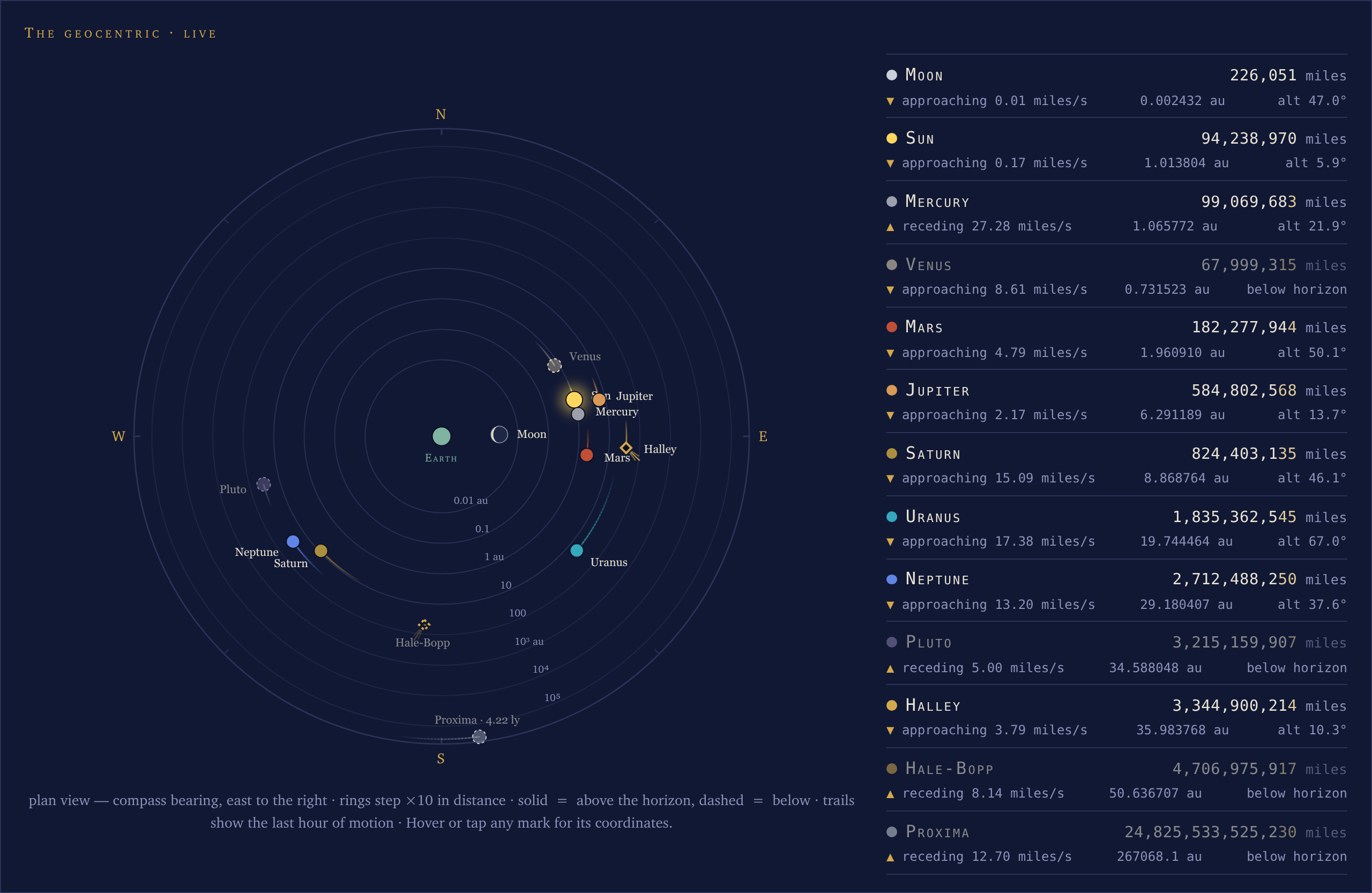
The Geocentric — Earth at the center, every body (sun, moon, Mercury through Neptune, Proxima Centauri) placed by compass bearing and log distance, the moon at its true phase, bodies below the horizon dimmed and dashed, and an hour-long motion trail behind every dot. Beside the dial, a roster gives each body an odometer distance readout that ticks between loop refreshes at the body’s true radial rate (Mercury can recede ~28 km every second while Saturn approaches at the same pace), plus the raw astronomical-unit value and the current altitude. Every configured comet joins the dial and roster (8.1): a diamond placed like a planet, its tail fanning anti-sunward from the sun’s own dial point, solid when naked-eye bright, hollow when fainter — and honestly absent when the Minor Planet Center has dropped the comet’s elements.
Both installer-default comets on the live dial — Halley to the west and up, at 35.8 astronomical units; Hale-Bopp further out at 50.9 and below the horizon, so dimmed and dashed. Each is a hollow diamond, because both are far below naked-eye brightness, and each trails three rays fanning away from the sun’s own dial point. Their live roster rows sit below the planets’, between Neptune and Proxima Centauri:
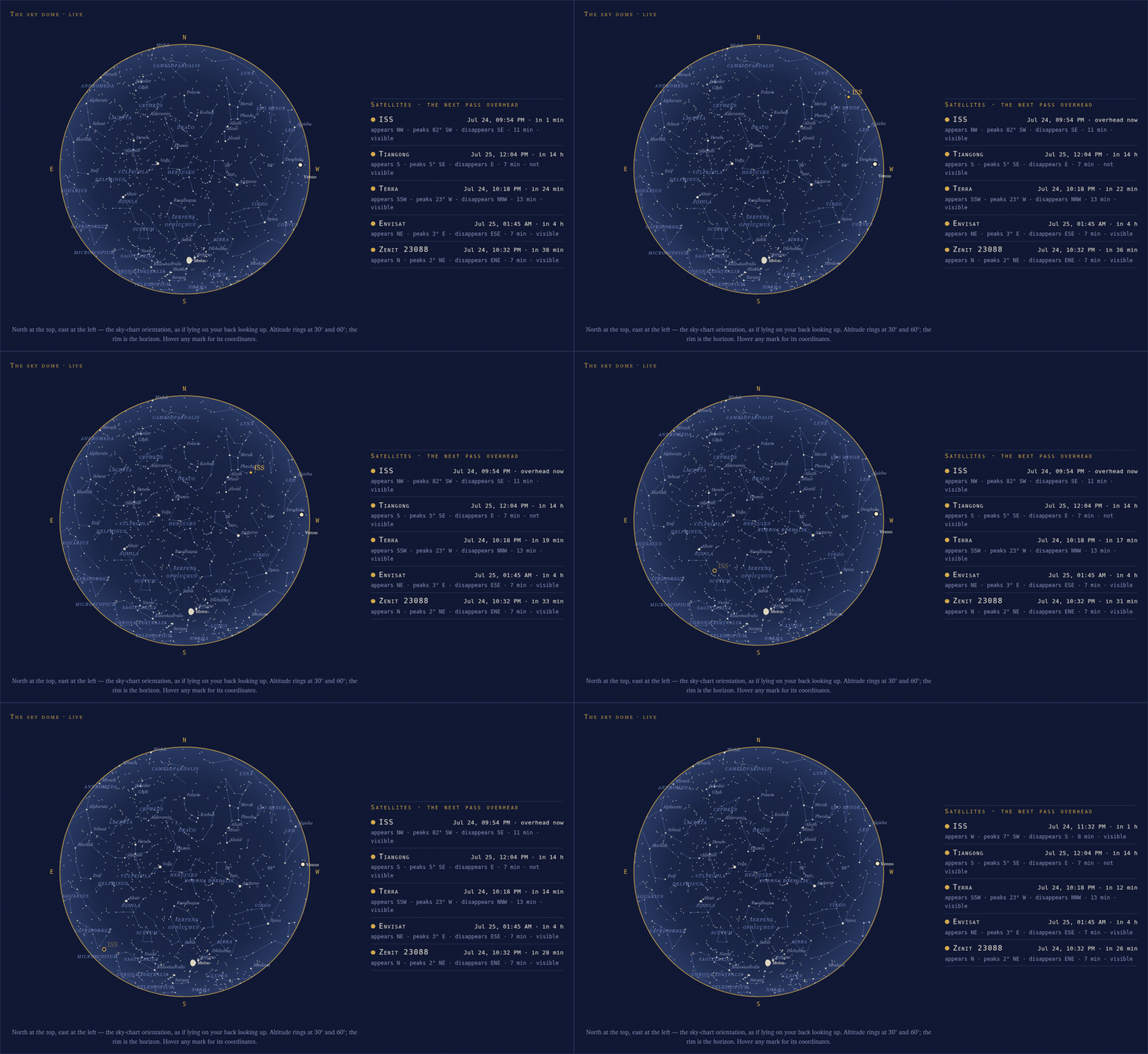
The sky dome (new in 8.0) — everything above the horizon right now: weewx-skyfield’s own dome chart, the full Hipparcos star field and constellation figures included, embedded as a live instrument. Each report cycle renders a staggered set of backdrops a minute apart and the open page steps to the one covering the current minute, while the sun/moon/planet marks are nudged between steps at loop-derived rates. If the backdrops stop arriving, the dome freezes rather than moving its marks over a motionless star field, and says why. With satellites configured, the dome carries the one thing up there that genuinely moves fast: the satellite marker crossing in real time — drawn whenever the satellite is up, dimmed unless you could actually see it (sunlit satellite, dark sky) — beside a roster of each satellite’s next pass of any kind, tagged visible or not.
The dome during the ISS’s July 24 near-zenith visible pass (replayed through the live page with the orbital elements Space-Track archived that day; 2-second frames played at about 30× speed). The full-brass dot crosses the whole dome NW → SE, and near the end it snaps to a hollow ring as the ISS enters Earth’s shadow — how visible passes really end:
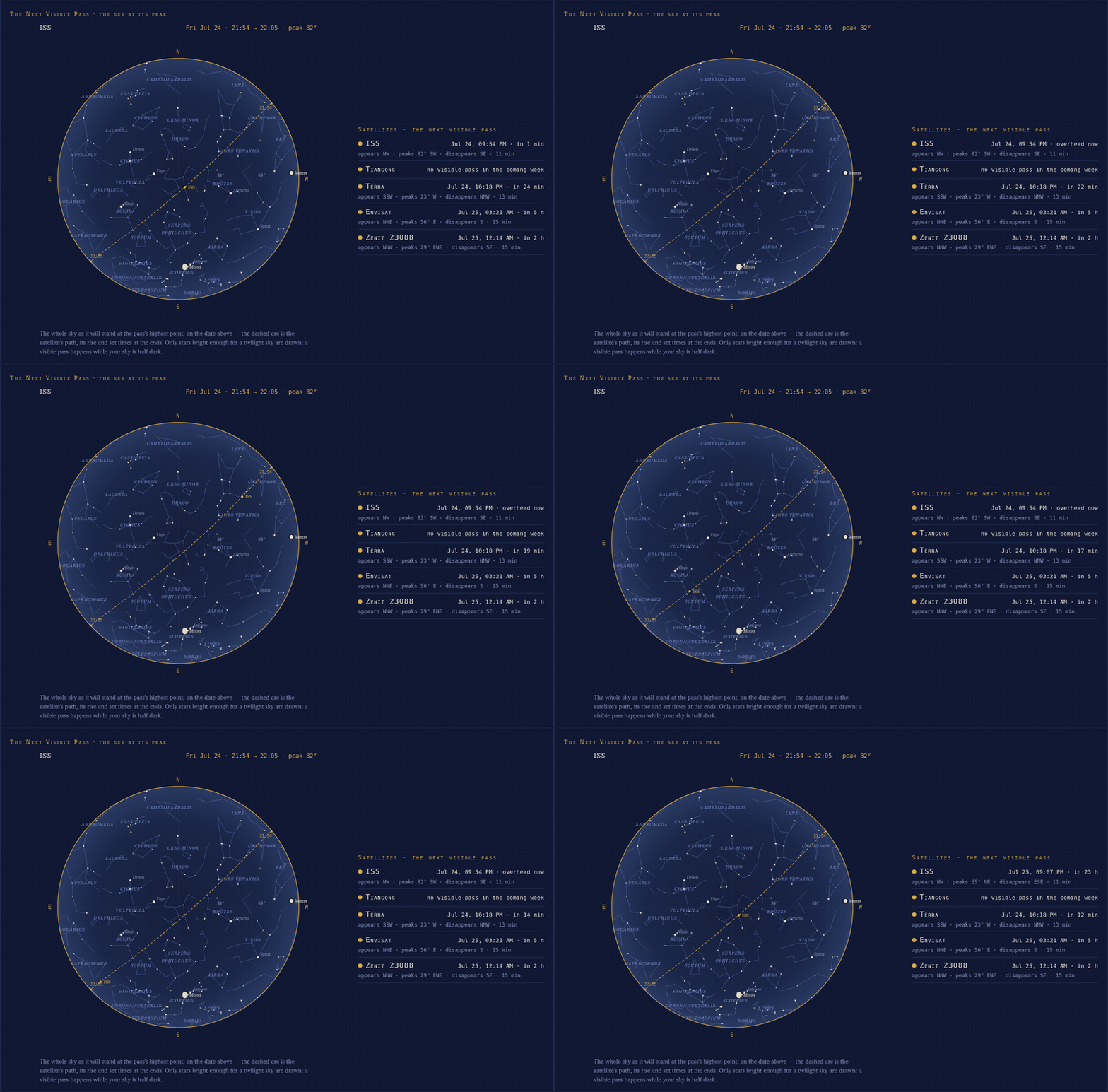
The Next Visible Pass (new in 8.0) — the whole sky as it will stand at the culmination of the soonest upcoming visible pass, the pass’s arc dashed across it under a dated head line, with the visible-pass roster beside it. During the pass itself the page sweeps the satellite’s dot live along the drawn arc — flipping it between the solid sunlit dot and the hollow in-shadow ring as the satellite crosses the shadow line, in step with the dome’s marker (8.1) — and when the pass ends the dot leaves the chart (8.3.3), the arc and head line standing until the next chart arrives. When no configured satellite has a visible pass coming, the chart hides and the roster’s honest rows say why.
The same July 24 pass on this panel — the chart features it, so the sweep dot rides the dashed arc from the 9:54 PM rise to the 10:05 PM set, snapping to the in-shadow ring as the ISS enters Earth’s shadow near the end, while the visible-pass roster counts down beside it:
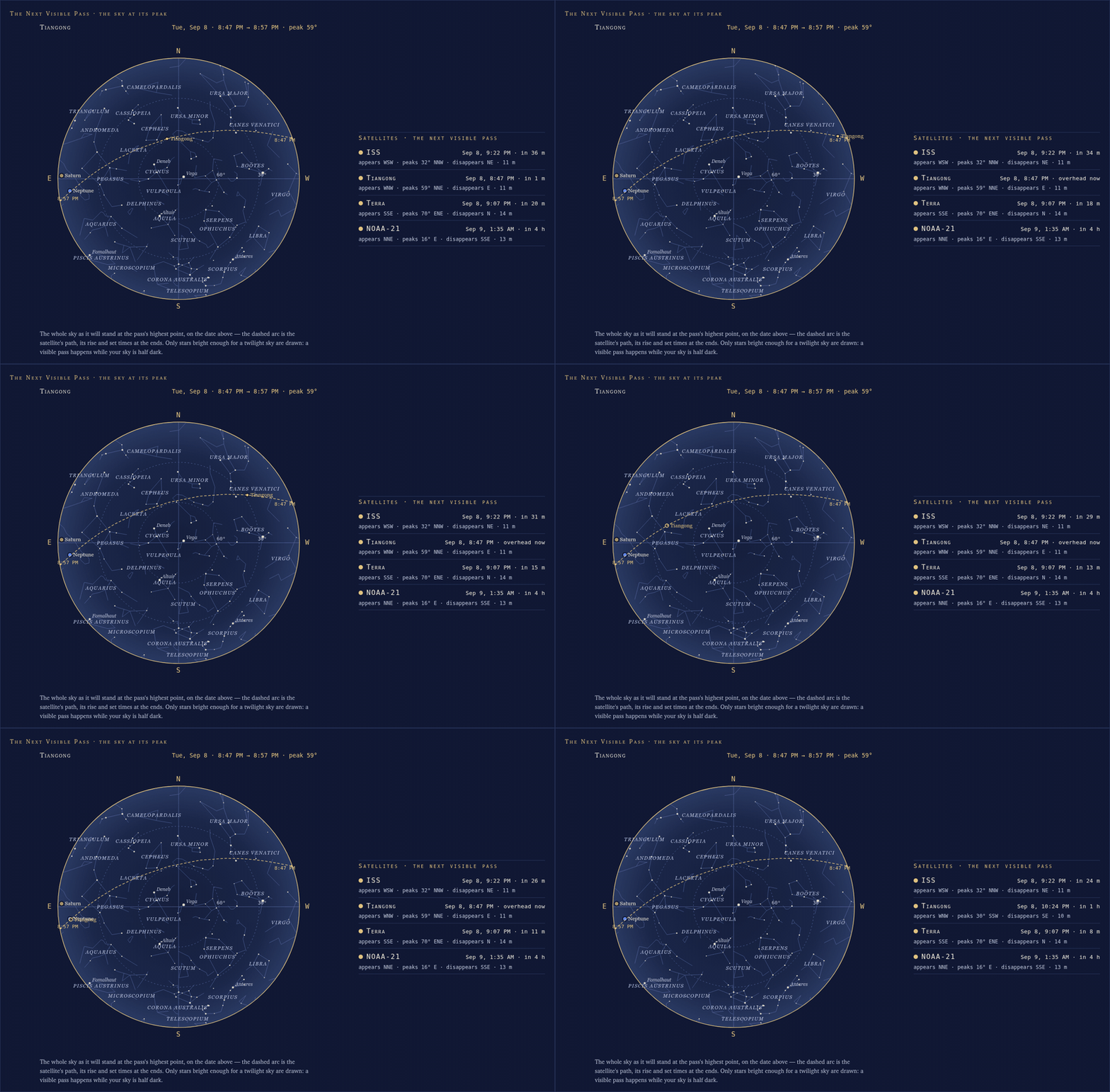
And the same flip on Tiangong’s pass of September 8: it rises sunlit in the west-northwest, peaks at 59° to the north-northeast and drops into Earth’s shadow at 49°, the sweep dot snapping from solid to the in-shadow ring mid-ride, in step with the dome’s marker:
Everything on the page moves. The dial and roster update from loop-data.txt on every loop record (for the Vantage driver, every 2 seconds), and between refreshes the page derives each body’s rate of motion from consecutive packets and advances the readouts every second — re-anchoring to truth on the next packet, and freezing rather than inventing data if the feed goes stale.
Dark or light
The page ships as the night plate above, and takes a paper-atlas plate instead with one report option — theme = light, or auto to run light while the sun is up and dark once it sets:
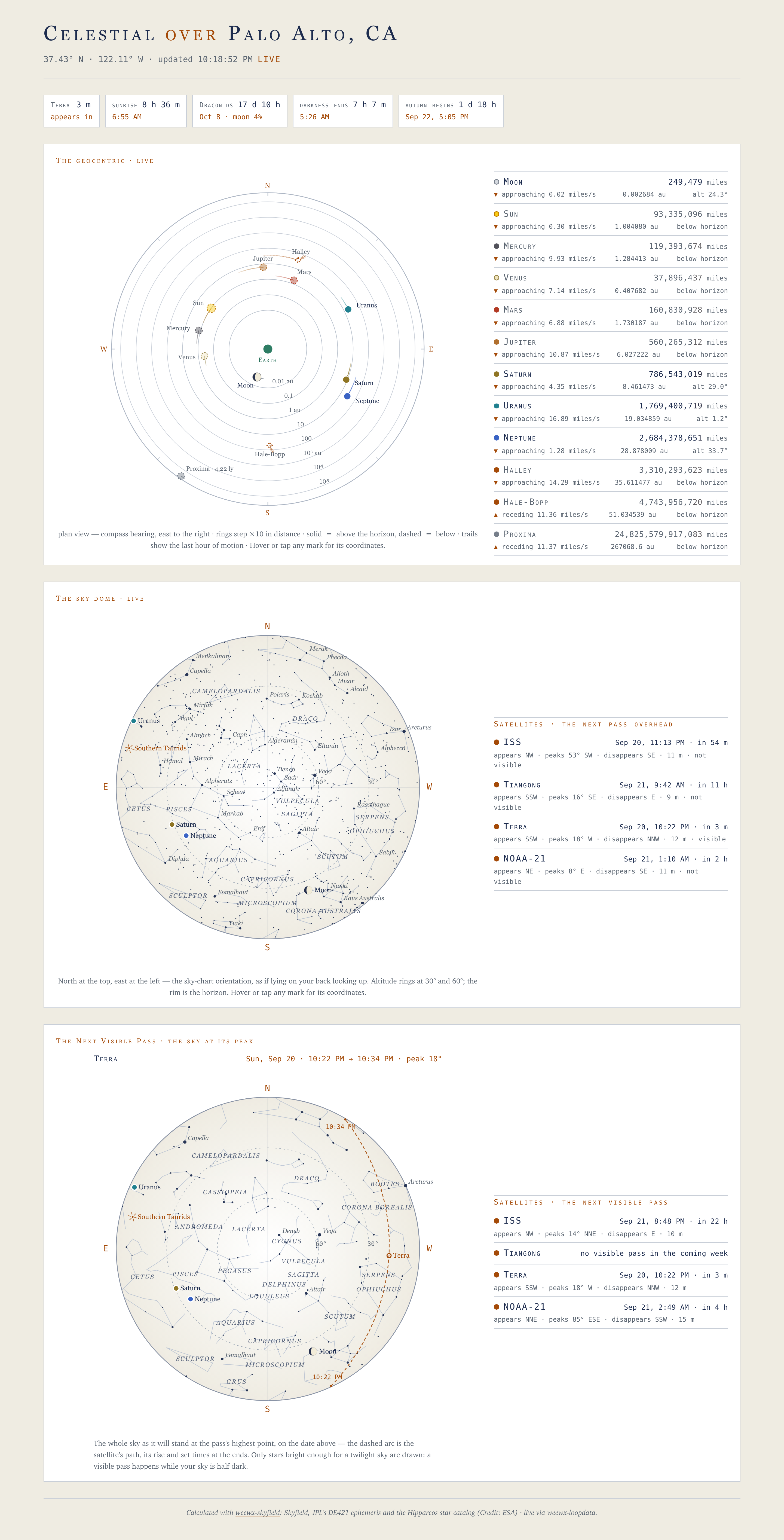
The whole page changes together. The sky dome and the Next Visible Pass chart are weewx-skyfield’s drawings, and on a light page they are drawn on that extension’s matching paper palette — no night rectangle inside a light page. The plate is settled when the report is generated: the charts arrive with their colors already inside them, so the page does not follow the viewer’s operating system, and there is nothing for a browser toggle to switch. See Dark, light and auto.
How it works
The live values are weewx-loopdata almanac fields: report almanac tags (computed by the registered almanac, ideally weewx-skyfield’s) that weewx-loopdata evaluates on every loop packet and publishes in loop-data.txt. One computation engine serves the report tags and the live page, so they always agree. This extension runs no service and computes nothing itself.
What installs:
- The
Celestialskin (the sample report), registered asCelestialReport. - The
--add-satellite/--remove-satelliteand--add-comet/--remove-cometutilities that make (or unmake) every weewx.conf edit a satellite or comet takes in one command (see Adding and removing satellites and comets). - The page’s declaration of the loop-data fields it reads: the fixed ones in the skin, the satellite and comet ones written by the installer for your
[Skyfield]sets (see the Fields reference). - The
$celestialsearch list and the fragment generator the page’s panels are drawn by — which, as of 9.0, any skin can use: the countdown row, the Geocentric, the sky dome and the Next Visible Pass chart drop into a page of your own, live layer and all. A skin says which panels it embeds in its ownskin.conf, so installing it and restarting WeeWX is the whole procedure. See Panels in your own skin.
The rosters first-paint at report time from $almanac and then go live from loop data, so what you see depends on the almanac WeeWX has — with weewx-skyfield 2.7 everything, and less at each tier below it, down to the built-in almanac, which serves none of the positions the Celestial page runs on. The full table is under the almanac tiers, and the machinery behind the motion is in How the page stays live.
For the rest of the sky atlas — sun path, orrery, analemma, solar year, lunation and rise/set timeline — see weewx-skyfield’s own Sky page. The two remain complementary: weewx-skyfield is the atlas (its dome is a report-time snapshot); weewx-celestial is the live instrument, and as of 8.0 its embedded dome is the live edition of the same chart.
Requirements
- Python 3.9 or later
- WeeWX 5.2 or later
- weewx-loopdata 7.0 or later (the installer checks)
- weewx-skyfield 2.7 or later if you run it at all — 9.6 is pinned to it and the installer refuses an older one. It is what the sky dome, the Next Visible Pass chart, the comets, the meteor showers, the full countdown row and Proxima Centauri all come from, so without it the page is the Geocentric dial alone, on PyEphem’s positions; on WeeWX’s built-in almanac the panels show install hints instead. Having none is not a refusal.