weewx-nws — National Weather Service forecasts and alerts for WeeWX
Twelve-hour forecasts, one-hour forecasts and active alerts for your station’s own location, kept fresh in the background and served to every report as $nwsforecast tags.
View on GitHub Download weewx-nws.zip Report an issue
weewx-nws polls api.weather.gov for the latitude and longitude your station already reports — forecasts every thirty minutes, alerts every ten — and keeps what it gets in a small database of its own (nws.sdb). Reports read it through the $nwsforecast tags: $nwsforecast.twelve_hour_forecasts(), $nwsforecast.one_hour_forecasts(), $nwsforecast.alerts() and $nwsforecast.alert_count(). Further tags group those periods by calendar day, order alerts the way a reader needs them, and turn a CAP description into structure — the parts of NWS’s own semantics that are easy to get subtly wrong.
Installing the extension also installs a sample report — three pages of forecasts and alerts, with drawn weather icons, charts, and light and dark themes, published to <HTML_ROOT>/nws/. Forecasts appear on your site at the first report cycle after the install, before you write a line of template code.
Highlights
- Three kinds of forecast, one extension. Twelve-hour periods (daytime and nighttime, 6.5 days out), one-hour periods (156 hours out) and every active NWS alert for your location, each on its own polling schedule. See Report tags.
- Nothing to configure to get going. The station’s latitude and longitude come from
[Station]inweewx.conf, and NWS’s own/pointsendpoint turns them into the gridpoint URLs to fetch. The one option worth editing isUser-Agent, which NWS’s API rules ask you to set — see Configuration. - A sample report that works out of the box. A seven-day page whose chart draws the week your own station recorded beside the week NWS forecasts, an hourly page and an alerts page — responsive, with drawn weather icons, charts, and light and dark themes that follow the reader’s own setting. Use it as it stands, or read it as worked examples for your own skin. See The sample report.
- Alerts, handled properly. Test, exercise, system and draft alerts are ignored; superseded alerts are dropped; expired alerts are deleted; and when NWS reports no alerts at all, the stale ones are cleared. See Alert fields.
- Values you can format like any other. Times, temperatures, wind, dewpoint, humidity and probability of precipitation come back as WeeWX
ValueHelpers:.format('%.0f'),.ordinal_compass,.degree_C,.raw— the methods a skin already uses. See Values, and formatting them. - Polite to NWS, and patient with it. Requests carry
If-Modified-Since, so an unchanged forecast costs a304; malformed json is rejected and logged with the raw response; and failures back off rather than hammer. See How it works. - Diagnostics built in.
nws.pyruns from the command line: fetch and print what NWS is serving your location right now, run every active US alert through the parser, or inspect the database. See Command-line utilities.
Where to start
| If you want to | Read |
|---|---|
| Install it | Installation |
| Set it up, or change a default | Configuration |
| Put forecasts in your own skin | Report tags and Recipes |
| Know what every field means | Forecast and alert fields |
| Understand the bundled pages | The sample report |
| Know what it is doing in the background | How it works |
| Fix something | Troubleshooting |
weewx-nws in action
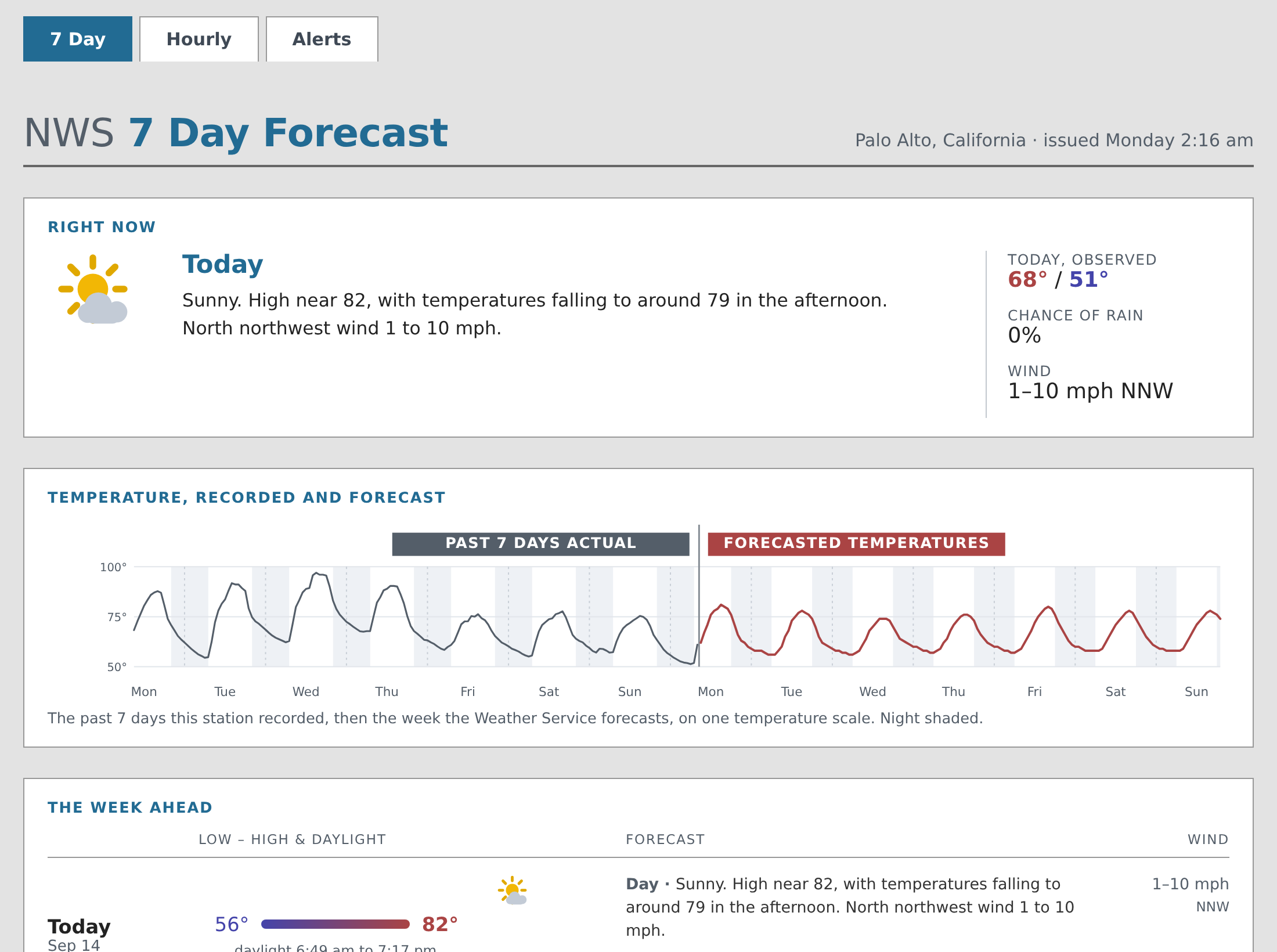
The forecast page at www.paloaltoweather.com/forecast.html is driven by these tags: the 7 Day tab from twelve_hour_forecasts(), the Hourly tab from one_hour_forecasts(), and the Alerts tab from alerts().
Requirements
Python 3.9 or later, WeeWX 5, and the python requests and dateutil packages. Neither package is a WeeWX requirement, so Installation covers installing them. WeeWX 4 users: weewx-nws 4.5.7 was the last release to support WeeWX 4.